
Every morning at seven, before I've opened my laptop, a message lands on my phone. It tells me which emails need me, what's on my calendar and which replies are already drafted and waiting for my yes.
Claude writes that message. I set it up once, and it's been turning up every morning since.
I'm Julia Mann. I run JulAi in Brisbane, and I set up systems and marketing for business owners who aren't technical, in Brisbane, on the Gold Coast, on the Sunshine Coast and around Australia. Claude is the AI tool I use most in my own business.
If you've heard the name and aren't sure what it is, or you've tried it once and didn't know what to ask it, this is a beginner's guide. I'll show you what it does for me in a normal week, and where I'd start.
What is Claude?
Claude is an AI assistant made by a company called Anthropic. You type or talk to it in normal sentences, and it can write, summarise, plan, answer questions and, once it's connected to your tools, do jobs for you.
If you've used ChatGPT, it's the same kind of thing. You don't need special words or commands. You tell it what you'd like, the way you'd brief a helpful new team member, and you correct it when it gets something wrong.
What can Claude do for a small business owner?
Claude can read and summarise things for you, draft your emails and posts, keep your information organised, build simple pages and dashboards, and run routine jobs on a schedule. You stay in charge of what it's allowed to do.
That list sounds like a lot, so I'll show you two real examples from my own business. One is something it built with me. The other is what it does for me every day.
Can Claude build a dashboard for my business?
Yes. Claude can build a dashboard that puts your whole business on one page, and you don't need to know how to code. You describe what you'd like to see, and it builds the page.
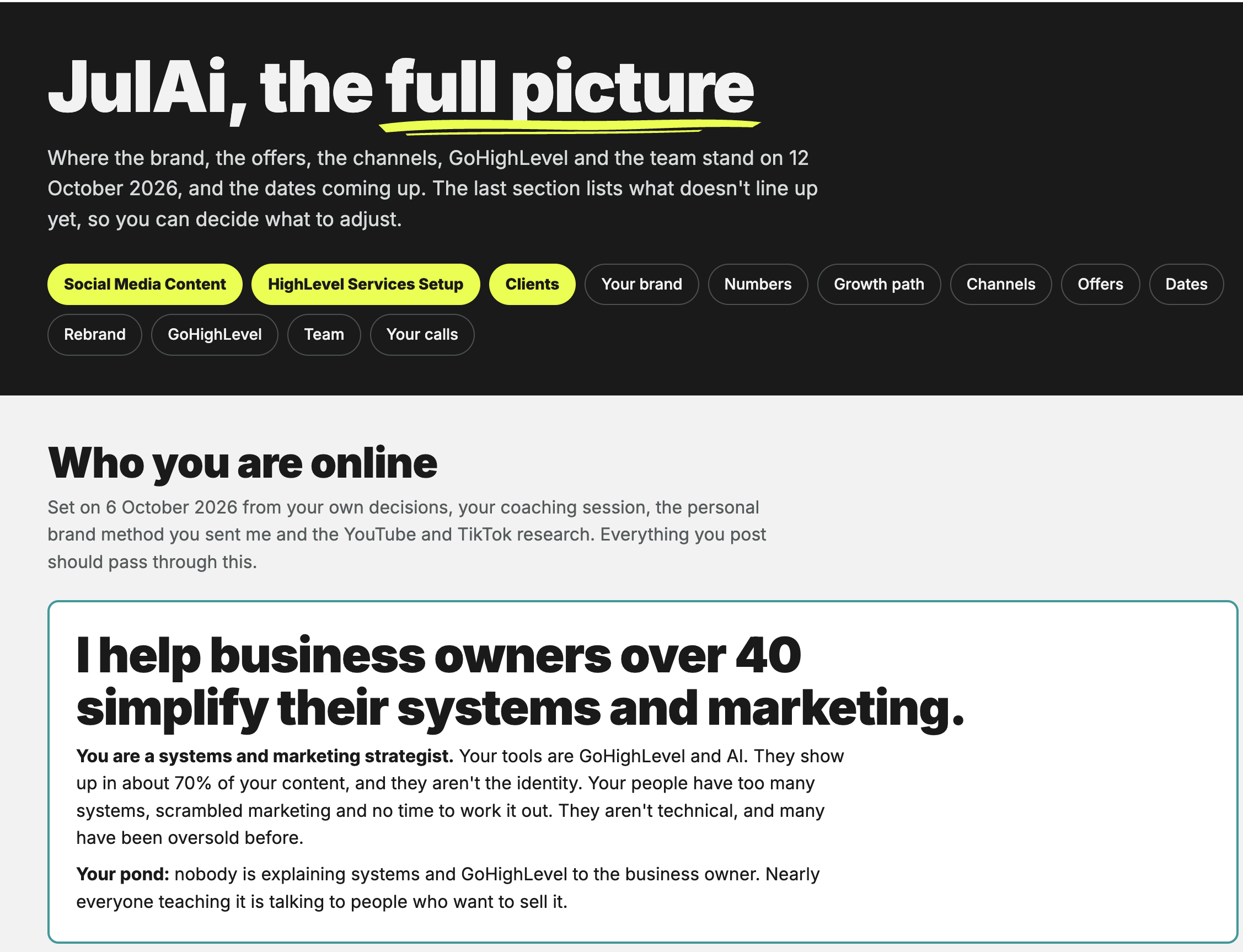
That's mine. I call it the full picture. I asked Claude to show me where everything in my business stands, so I could see it all at once and decide what to change.
I'm not a coder. I told it what I wanted, looked at what it made, and told it what to change. When something moves in the business, I tell Claude and it updates the page.
Before this, all of that lived in my head and across a pile of different documents. Gahhh.
What does a daily routine with Claude look like?
A daily routine with Claude is a job it does at the same time every day without being asked, like checking your inbox and calendar and sending you a short summary. You set it up once.
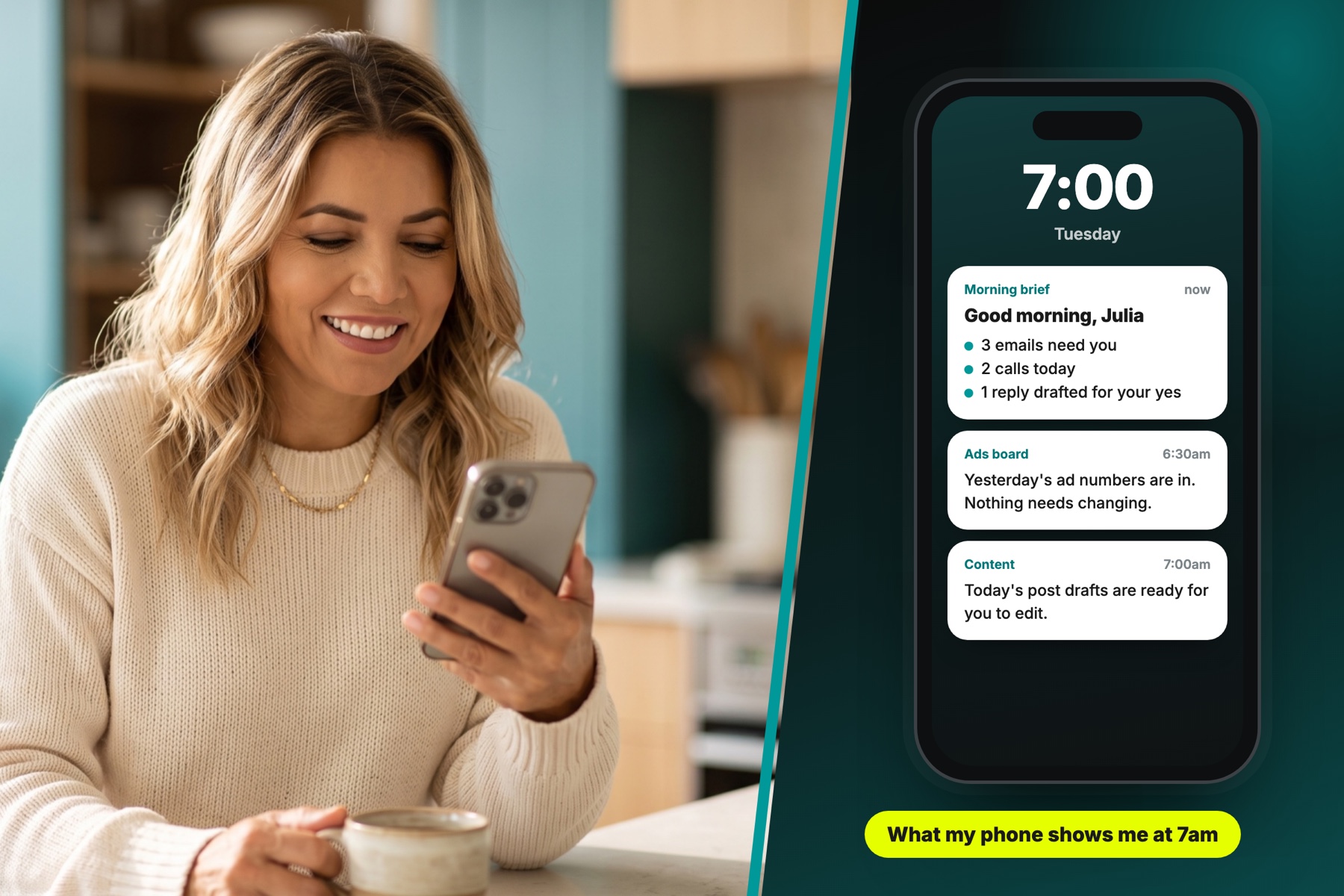
This is what mine looks like on a normal weekday:
- 6:30am, my ad numbers. Claude checks my Facebook and Instagram ads and updates a simple board, so I can see what's working without logging in to anything.
- 7am, my morning brief. It reads my inbox and my calendar, tells me which emails need me, and lists the calls I have that day.
- Replies, drafted and waiting. For the emails that need an answer, it writes a draft in my email. It never sends one. I read it, change what I like and press send myself.
- Content ideas. It also sends me drafts for the day's posts, which I edit before anything goes out.
None of that makes decisions for me. It gets the reading and the first drafts out of the way, so I start the day knowing what needs me.
What I don't hand over to Claude
Claude gets things wrong. It can sound very sure about something that isn't true, so I check anything that matters, and nothing goes to a customer without me reading it first.
I also don't use it for legal, tax or money decisions. And the setup isn't instant. The routines above took time to get right, and a couple of them broke along the way before they worked properly.
Where should a beginner start with Claude?
Start with one job you do every week and don't enjoy, such as replying to enquiries or writing a post. Give Claude a few examples of how you write, ask it for a first draft, and edit it yourself.
Don't start with dashboards and daily routines. Start with one small job, get comfortable with it, and build from there.
The examples matter more than anything else. If you give it three lines and walk away, you'll get something that sounds like everyone else on the internet. Show it two or three things you've written, and what comes back sounds a lot more like you.
Frequently asked questions
Is Claude the same as ChatGPT?
They're the same kind of tool, made by different companies. Claude is made by Anthropic and ChatGPT is made by OpenAI. Both let you type a request and get help back. I use Claude for most of my own work.
Is Claude free to use?
There's a free version that's fine for writing and thinking things through. Connecting it to your email and calendar, and having it do jobs on a schedule, needs a paid plan and some setup.
Do I need to be technical to use Claude?
No. You talk to it in normal sentences. I'm not a coder, and everything I describe in this post was built by telling Claude what I wanted and correcting it when it got something wrong.
Can Claude read my emails?
Only if you choose to connect it to your inbox. If you do, you decide what it's allowed to do. Mine can read and draft, and it can't send anything without me.
Is it safe to put business information into Claude?
Treat it the way you'd treat any online tool. I share my own business details with it, and I don't paste in a customer's private information unless the job really needs it.
Do you help businesses outside Brisbane set up Claude?
Yes. I'm in Brisbane and I work with business owners in Brisbane, on the Gold Coast, on the Sunshine Coast and across Australia. It's all done online.
Not sure what Claude could take off your plate?
Book a free 20 minute call and tell me what your week looks like. I'll tell you the first job I'd hand over. If it's a fit, you'll know, and so will I.
Book a free 20 minute call →